Notification Popup
Setup
Size
Content
Up to 24 characters
Up to 40 characters
Up to 80 characters
Up to 12 characters
Icon
Timing
0–5
1–10
0–5
Total length: 4.9 s
Look
Font
Style
The icon tile. Picking an app icon sets its brand color.
50–100
Background
Green or blue screen keys out in your editor.
Preview
1280×720 · MP4
1280 × 720 preview
Newsletter
Get new Tools in your inbox
One short email when a new Tool launches. No spam, unsubscribe any time.
About
Free notification popup animation maker
A notification popup animation shows a phone-style notification sliding in from the top of the screen, resting for a moment, and sliding away again. Creators use it in skits and texting scenes, screen recordings, explainers, Reels, TikToks and Shorts, usually laid over other footage.
This free notification popup animation maker turns your own app name, title, message and time label into a finished MP4. Pick an app or social icon, an emoji or a letter, or upload your own image as the icon, set how long the notification stays on screen, pick a light or dark card, a font and an accent color, preview it, and download it. The clip comes on a green screen by default, so you can key the background out in your editor. Everything renders in your browser, so there are no accounts, your videos are never uploaded, and the export has no watermark.
- One notification
- with your own app name, title, message, time and icon
- Up to 21 s
- with a lead-in, a hold of up to 10 seconds and a tail
- 16:9 · 1:1 · 9:16
- aspect ratios: widescreen, square, vertical
- Free
- no watermark, no account, rendered in your browser
Where to use it
Where to use a notification popup animation
Skits and texting scenes
Show the message that sets up the joke or the twist, exactly when it arrives.
Screen recordings and tutorials
Point out a reminder, an alert or an update by sliding it in over your footage.
Explainers and hooks
Open a video with the notification that starts the story.
Reels, TikTok and Shorts
Export in 9:16 and lay the notification over your clip at the top of the frame.
Product demos and pitches
Show the alert your product would send, in your own words.
App promos and prototypes
Show how a notification will look in an app video or a design pitch, without building the app first.
How it works
How to make a notification popup animation
- 01
Choose a size
Pick 16:9, 1:1 or 9:16 to match where the video will be posted.
- 02
Write your notification
Type the app name, title, message and time label, and choose an icon: an app or social logo, a symbol, an emoji or letter, or your own image.
- 03
Set the timing and the look
Choose how long the notification stays on screen, a light or dark card, a font and an accent color.
- 04
Preview and export
Press play to check it, then Export Now. The MP4 renders in your browser and downloads to your device.
Customize
Customize your notification animation
Content
An app name of up to 24 characters, a title of up to 40, a message of up to 80 on two lines, a time label of up to 12 such as 9:41 AM or 2m ago, and an icon of your choice.
Timing
Add up to 5 seconds of empty frame before the notification slides in, keep it on screen for 1 to 10 seconds, and add up to 5 seconds of empty frame after it slides out.
Font, color and size
Light or dark card, six fonts and any accent color. Long text is shrunk to fit the card, and Scale makes the whole card smaller.
Background
Green screen is the default, with blue screen and black one click away, or use any solid color.
FAQ
Notification popup animation FAQ
What is a notification popup animation?
It is a short clip of a notification card sliding in from the top of the frame, resting for a moment and sliding out. It is a popular way to show a message arriving in a skit, a screen recording or an explainer.
How do I make a notification popup animation?
Choose a size, type your app name, title and message, set the timing and the look, press play to preview, then press Export Now. The MP4 downloads straight to your device.
How do I put the notification over my own video?
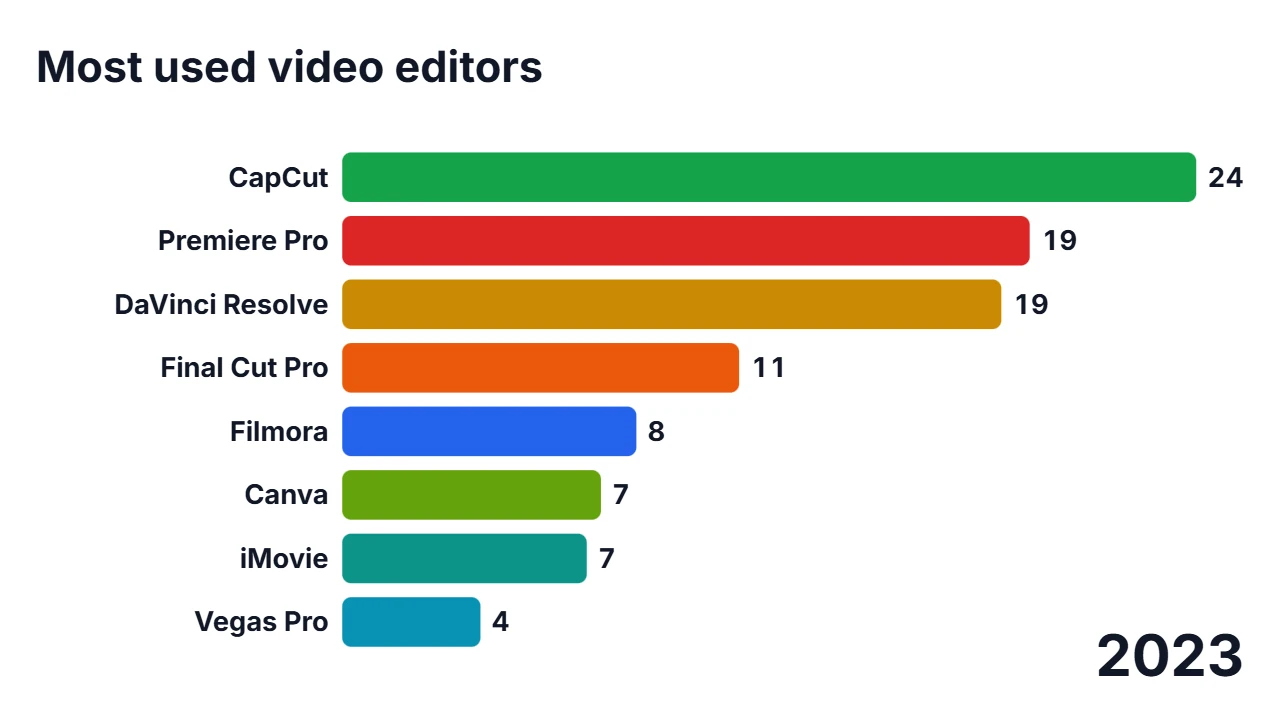
Keep the green screen background and export. In your editor, place the clip on a track above your footage and apply a chroma key (also called green screen or ultra key) to remove the green. CapCut, DaVinci Resolve, Premiere Pro and Final Cut all have one. If your notification uses green, switch to the blue screen background.
Is this a copy of a real phone notification?
No. The card is a generic design with an icon tile, an app name, a title and a message, and does not copy iOS, Android or any app. You choose all of the text and the accent color.
Which icons can I use, and can I upload my own?
Open the icon picker to choose from 24 app and social logos such as WhatsApp, Instagram and YouTube, 22 generic symbols, or a single emoji or letter. You can also upload your own PNG, JPG, WebP or SVG image of up to 2 MB; it is cropped to a square. An uploaded image stays in your browser: it is not uploaded to a server, not saved, and not included in a shared link.
Are the app logos official, and is this tool affiliated with those apps?
No. EditKitz is not affiliated with, endorsed by or sponsored by any of the apps whose logos are offered. The logos are trademarks of their owners and are provided only so you can make a notification that looks like the one you are talking about. Use them in line with each brand's guidelines.
How long can the text be?
An app name of up to 24 characters, a title of up to 40, a message of up to 80 characters on two lines, and a time label of up to 12. Long text is shrunk to fit the card, and cut off with an ellipsis if it still does not fit.
Which sizes and formats does it export?
MP4 at 30 or 60 frames per second and 480p, 720p or 1080p, in 16:9 for YouTube and widescreen, 1:1 for square posts, and 9:16 for Reels, TikTok and Shorts. At 1080p that is 1920×1080, 1080×1080 or 1080×1920 pixels. 1080p is the largest size; there is no 4K export. The exact size and frame rate are shown next to the Export button. The longest clip is about 21 seconds.
Is the notification popup animation maker free, and are my videos private?
It is free and needs no account. The video is rendered in your browser on your own device, and your videos are never uploaded.
Does the exported video have a watermark?
No. The MP4 you download has no watermark, logo or EditKitz branding on it: only the notification on the background you chose.
Does the video have sound?
No. The clip is silent, so you can add your own notification sound in your video editor.